
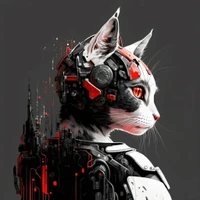
Game skill icon DreamBooth model trained by pharmapsychotic
This is a model trained on skill icons from the game Guild Wars. Prompt with just gwsi to get the game icon style or add one of the 10 character classes (assassin, dervish, elementalist, mesmer, monk, necromancer, paragon, ranger, ritualist, warrior) to summon its color and style. For example the first row in the examples section uses prompts starting with gwsi necromancer.
The training data is much lower resolution than the 512x512 Stable Diffusion 1.5 model so the outputs are intended to be scaled down.
This was made for the DreamBooth Hackathon! If you enjoy this or just find the results cool and interesting, drop a like on the model!
Examples
 |
 |
 |
 |
 |
 |
 |
 |
 |
 |
 |
 |
 |
 |
 |
 |
 |
 |
 |
 |
 |
 |
 |
 |
 |
 |
 |
 |
 |
 |
 |
 |
 |
 |
 |
 |
 |
 |
 |
 |
Usage
With Diffusers
from diffusers import StableDiffusionPipeline

pipeline = StableDiffusionPipeline.from_pretrained('pharma/gwsi')
image = pipeline().images[0]
image
With SD Web UI
To use with SD Web UI download pharmapsychotic-gwsi.ckpt and put in your models folder.
- Downloads last month
- 41